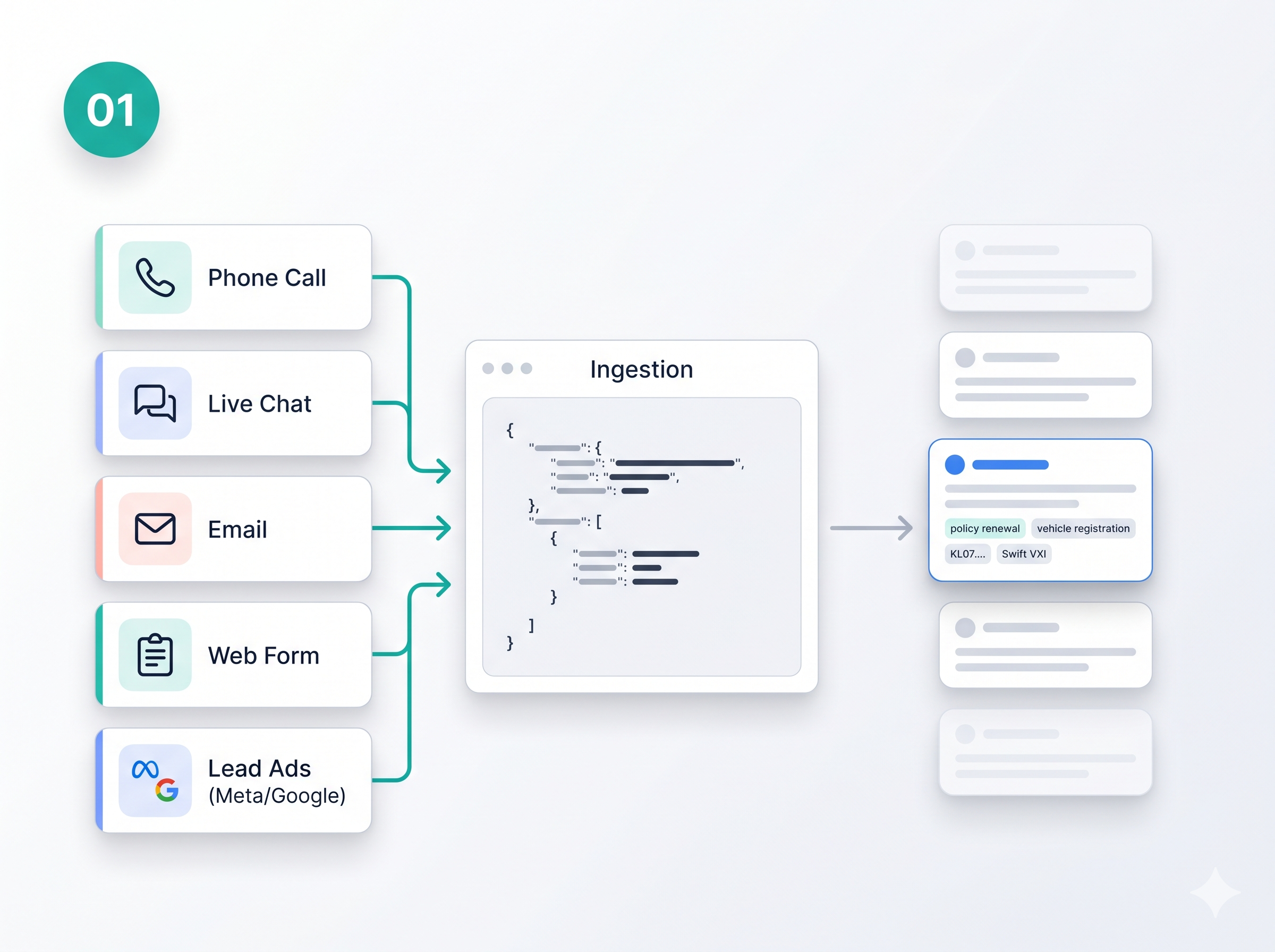
Step 01
Ingest from every channel
POST conversations from calls, live chat, email, web forms, and ad leads. Face360° validates against your tenant schema and queues each interaction for processing.
Customer Intelligence Platform
Identity Resolution & Customer Unification
Ingest every touchpoint, resolve identity, and unify fragmented records into one profile — ready for AI insights.
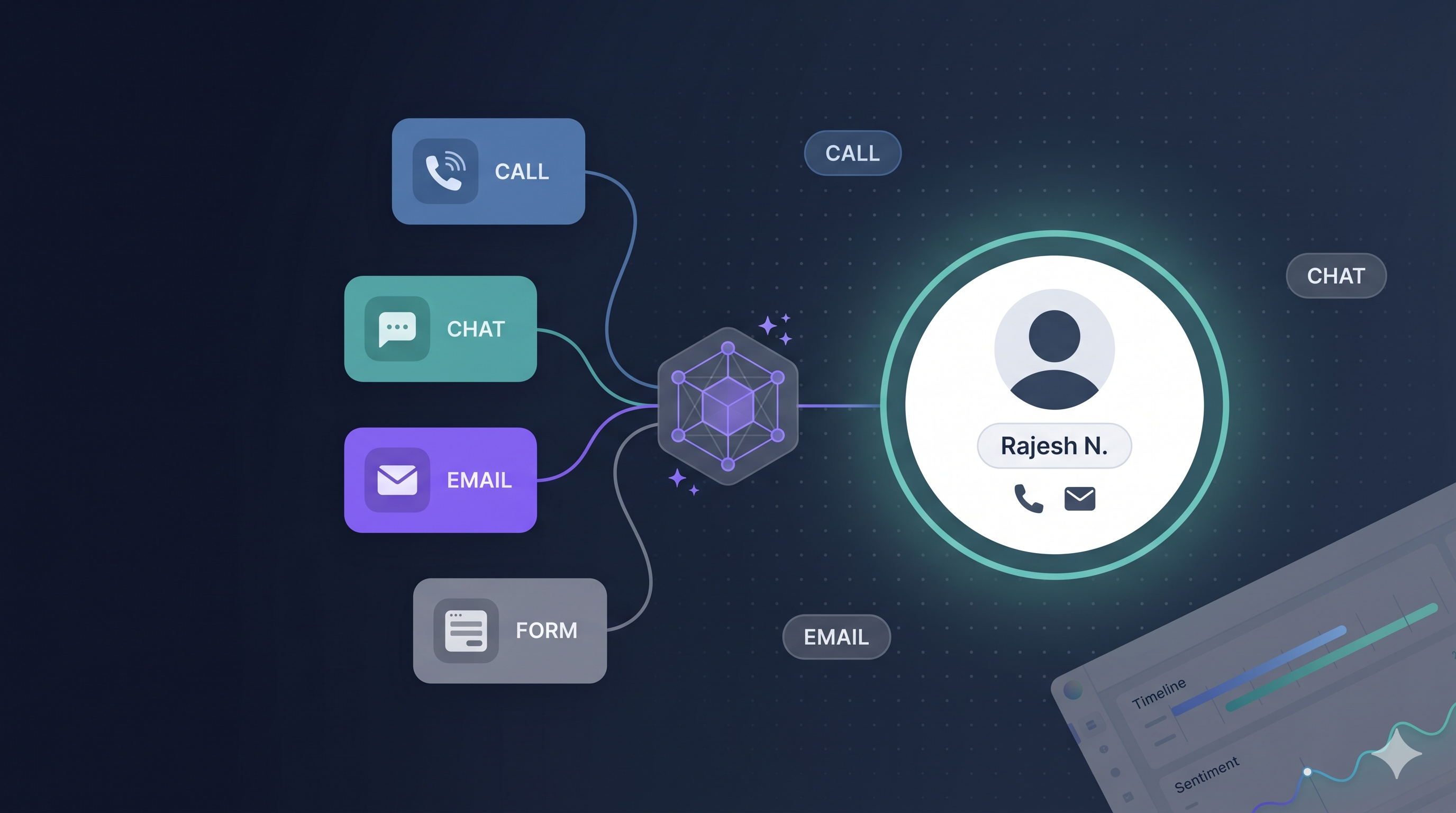
Face360° sits between your channels and your AI — resolving identity before insights compound.
Stop agents from re-asking for phone numbers and policy details. One profile, every channel, full conversation history.
Configurable schemas and match rules — no hardcoded CRM fields. Publish a version, ingest, and measure resolution outcomes.
SafeDrive demo shows auto-insurance workflows: vehicle, policy, and contact fields unified across calls, chat, email, and forms.
The same person shows up as different records in your CRM, support desk, and marketing tools. Agents repeat questions. Dashboards double-count. AI models train on incomplete, conflicting context. Face360° fixes identity first — so every team and every model works from the same customer truth.
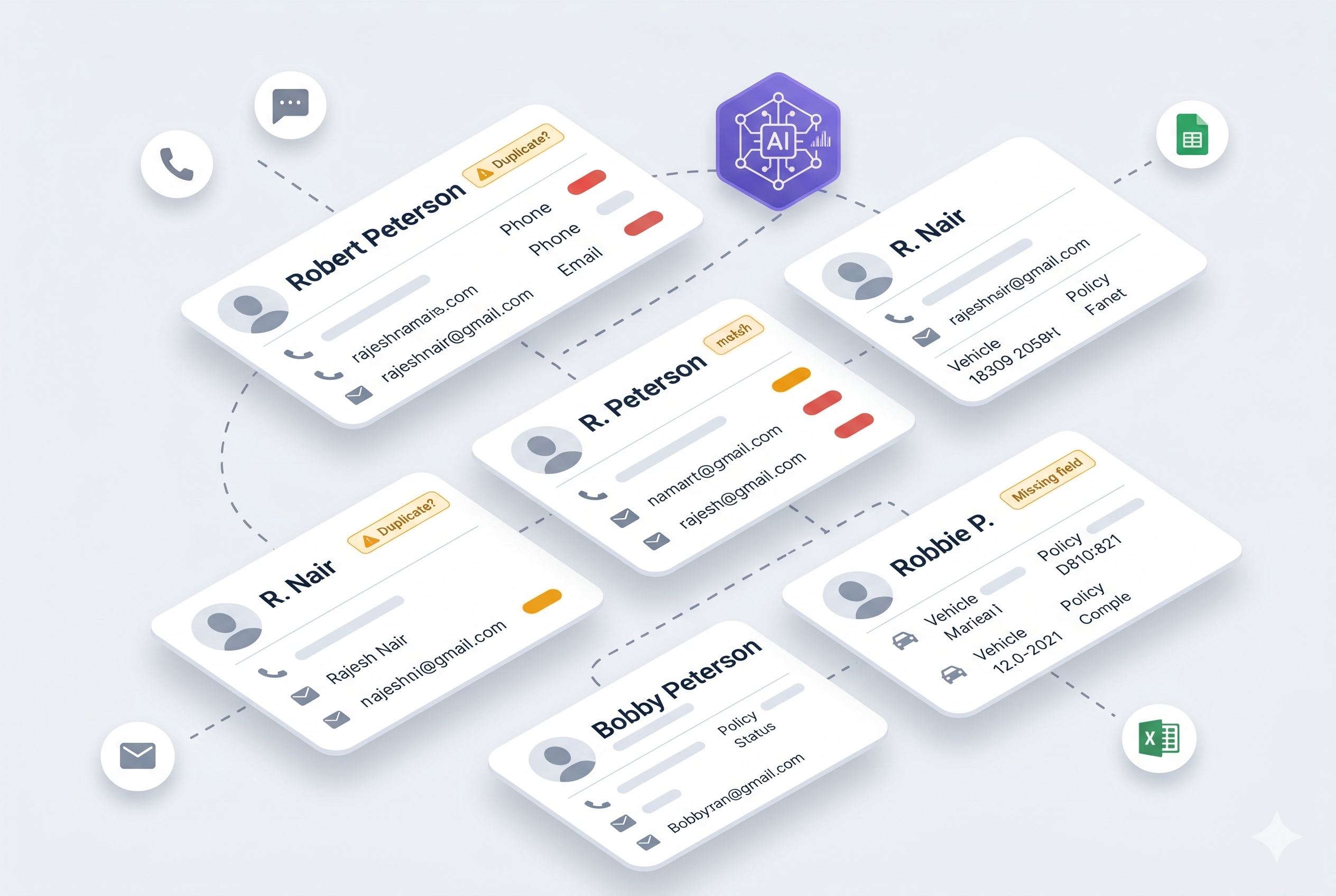
20 raw interactions become 10 unified profiles — same person, one record.
Before
After
Four steps. No manual stitching. Full context for every decision.
Step 01
POST conversations from calls, live chat, email, web forms, and ad leads. Face360° validates against your tenant schema and queues each interaction for processing.
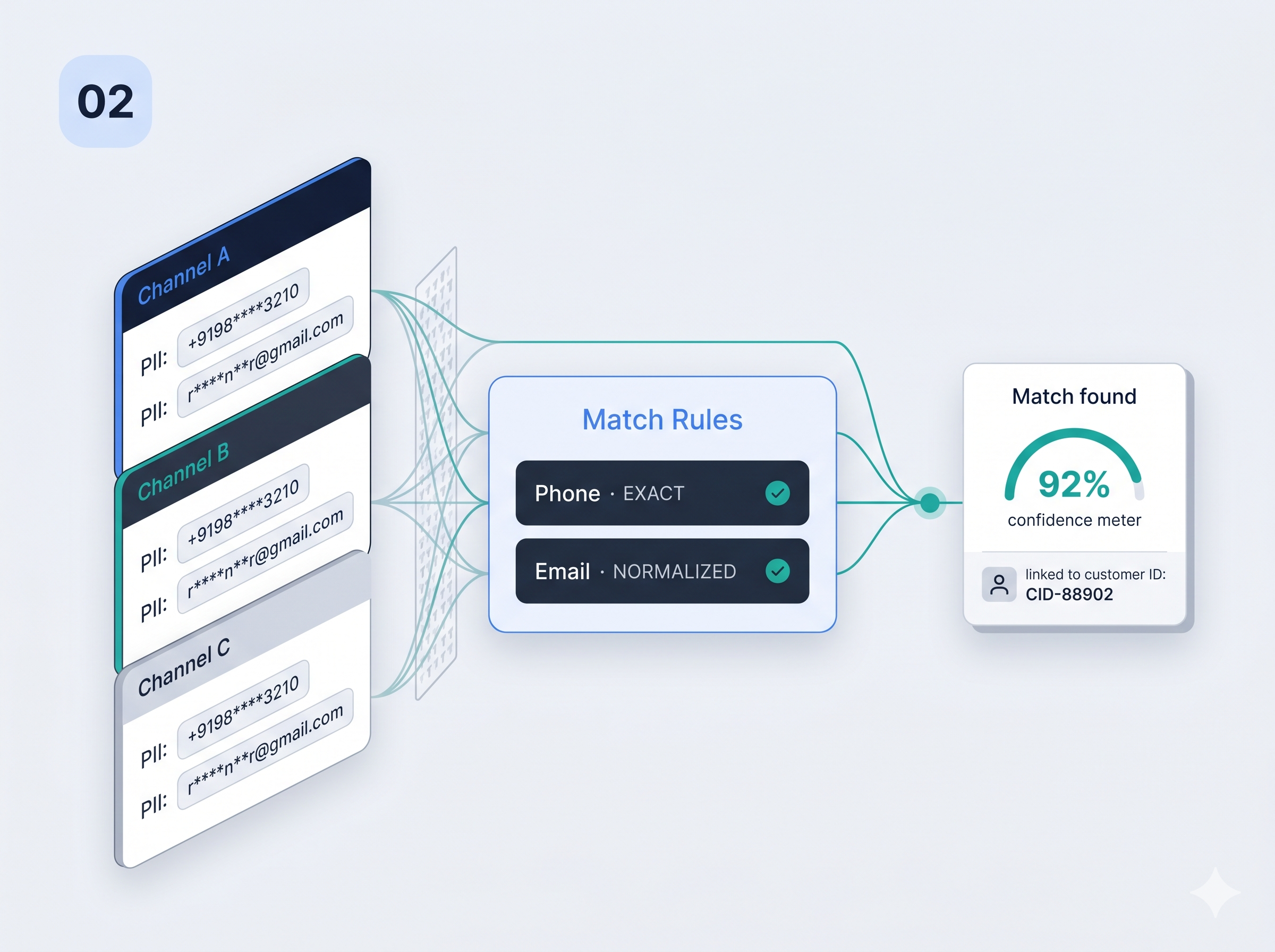
Step 02
AI reads each interaction against your published customer schema — names, contact details, policy fields, vehicle data, and more.
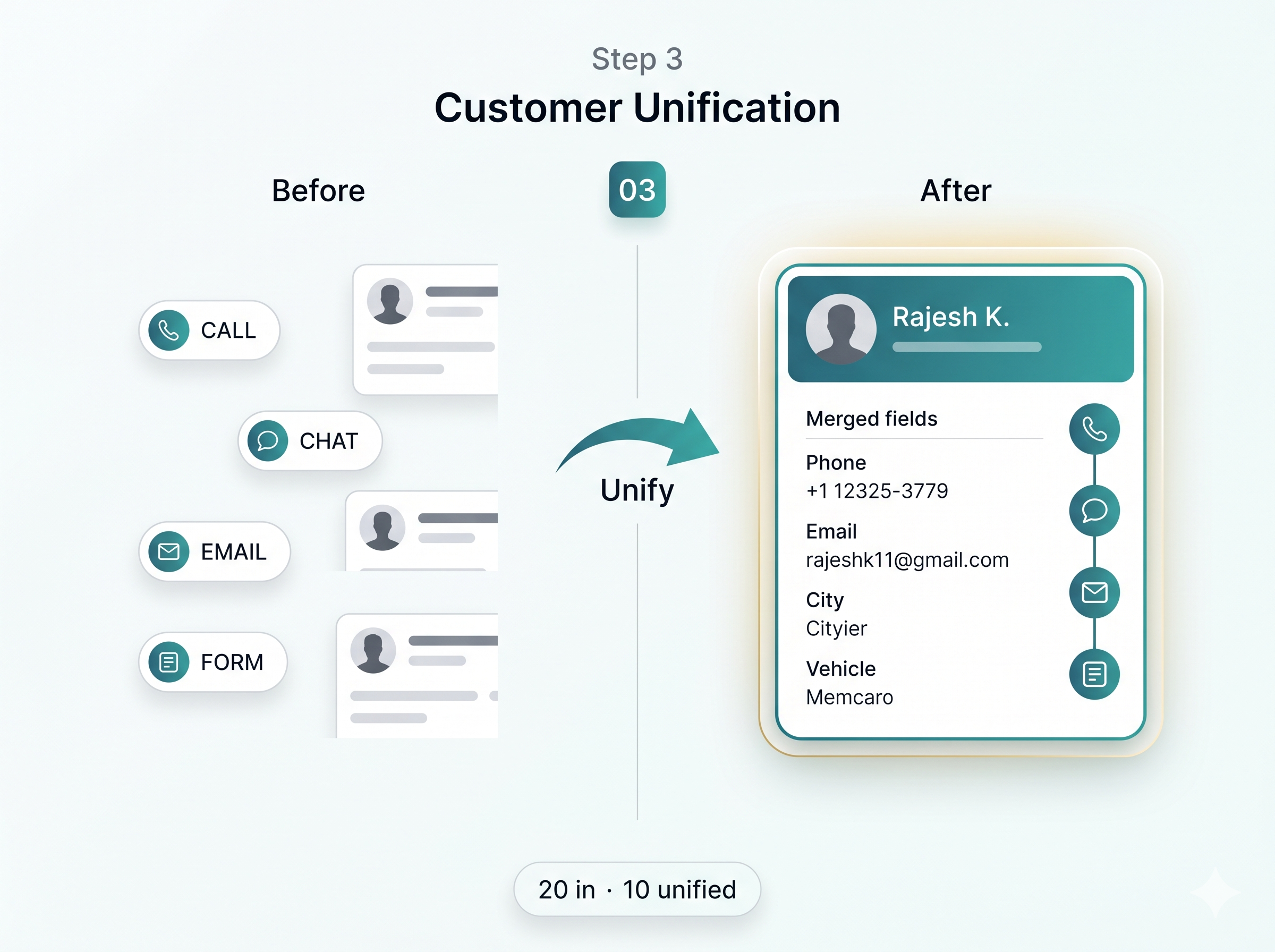
Step 03
Configurable match rules link new touchpoints to the right person — even when the channel, spelling, or format differs.
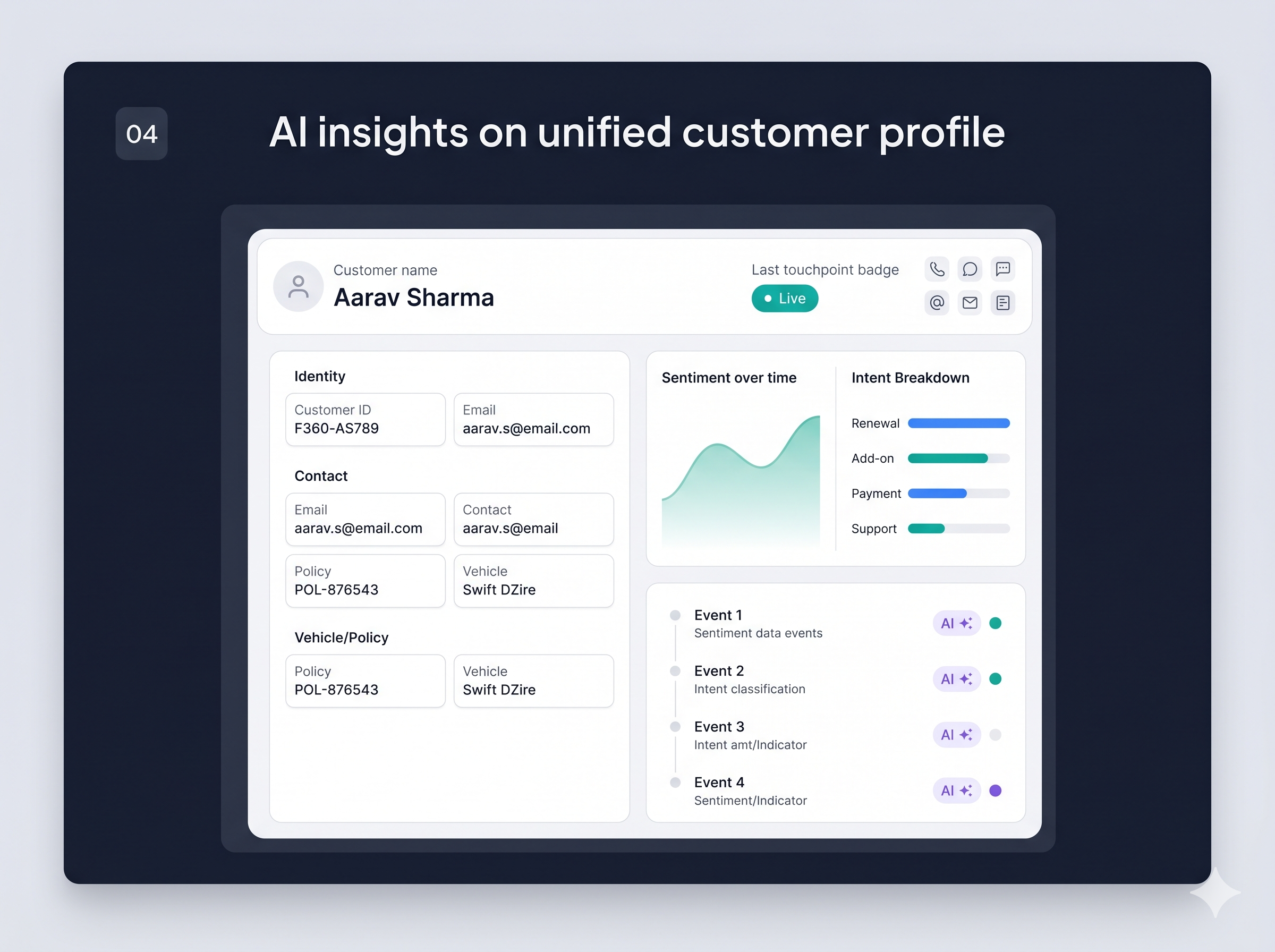
Step 04
Repeat interactions update one profile. Sentiment, intent, and AI insights build on a merged timeline — not scattered fragments.
Everything you need to unify customer data and run AI on complete context — configurable per tenant, not hardcoded per industry.
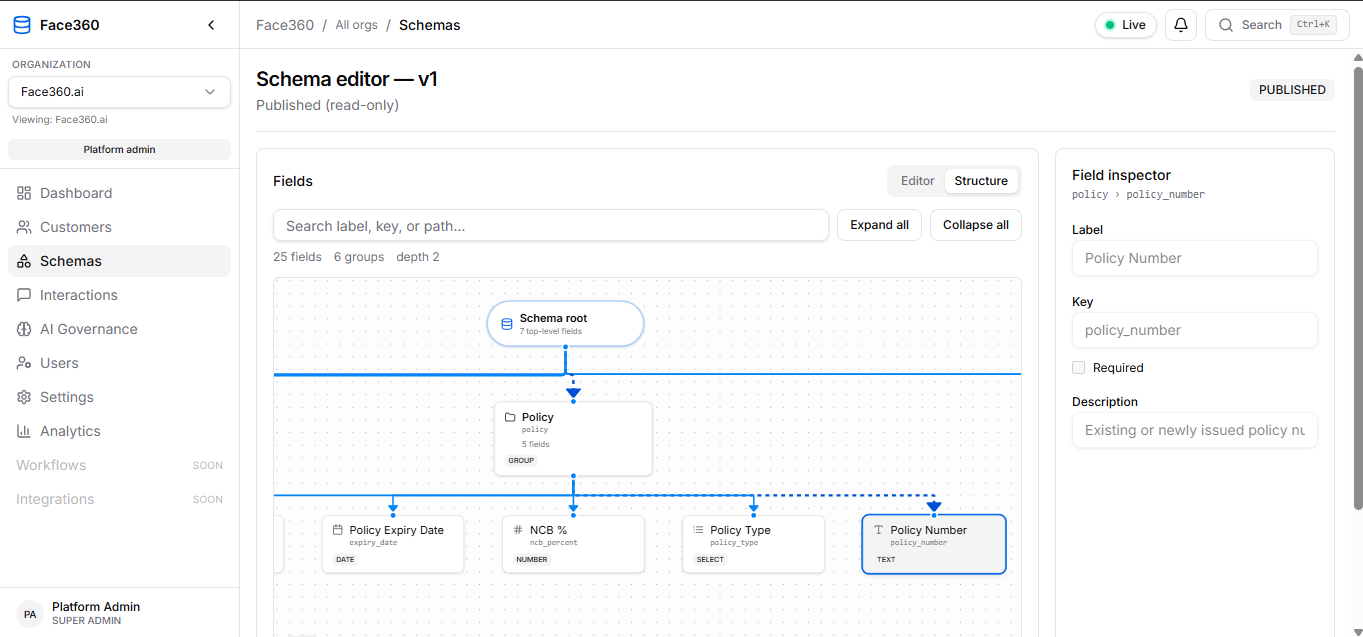
Custom schema builder
Build field groups, types, and AI aliases in a visual editor. Publish a version when ready — AI extraction follows your schema, not a vendor default.
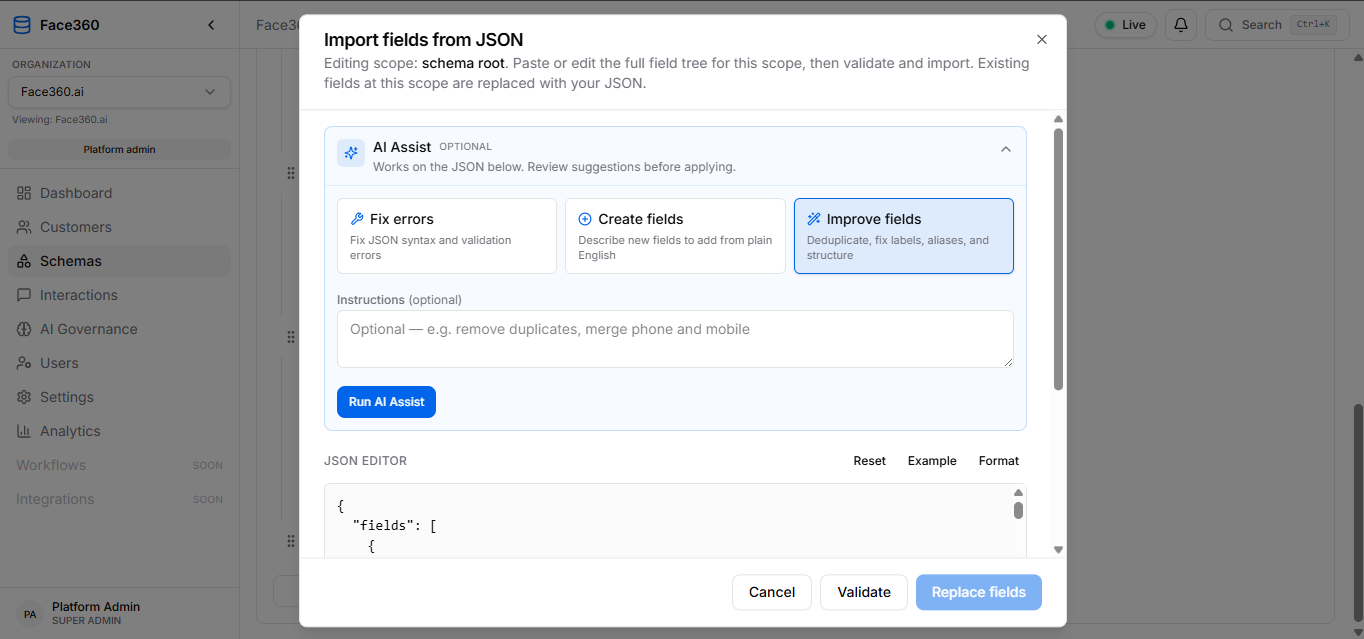
Schema AI Assist
Import fields from JSON, validate structure, and let AI Assist deduplicate labels, fix errors, or add new fields from a short instruction — all scoped to your schema version.
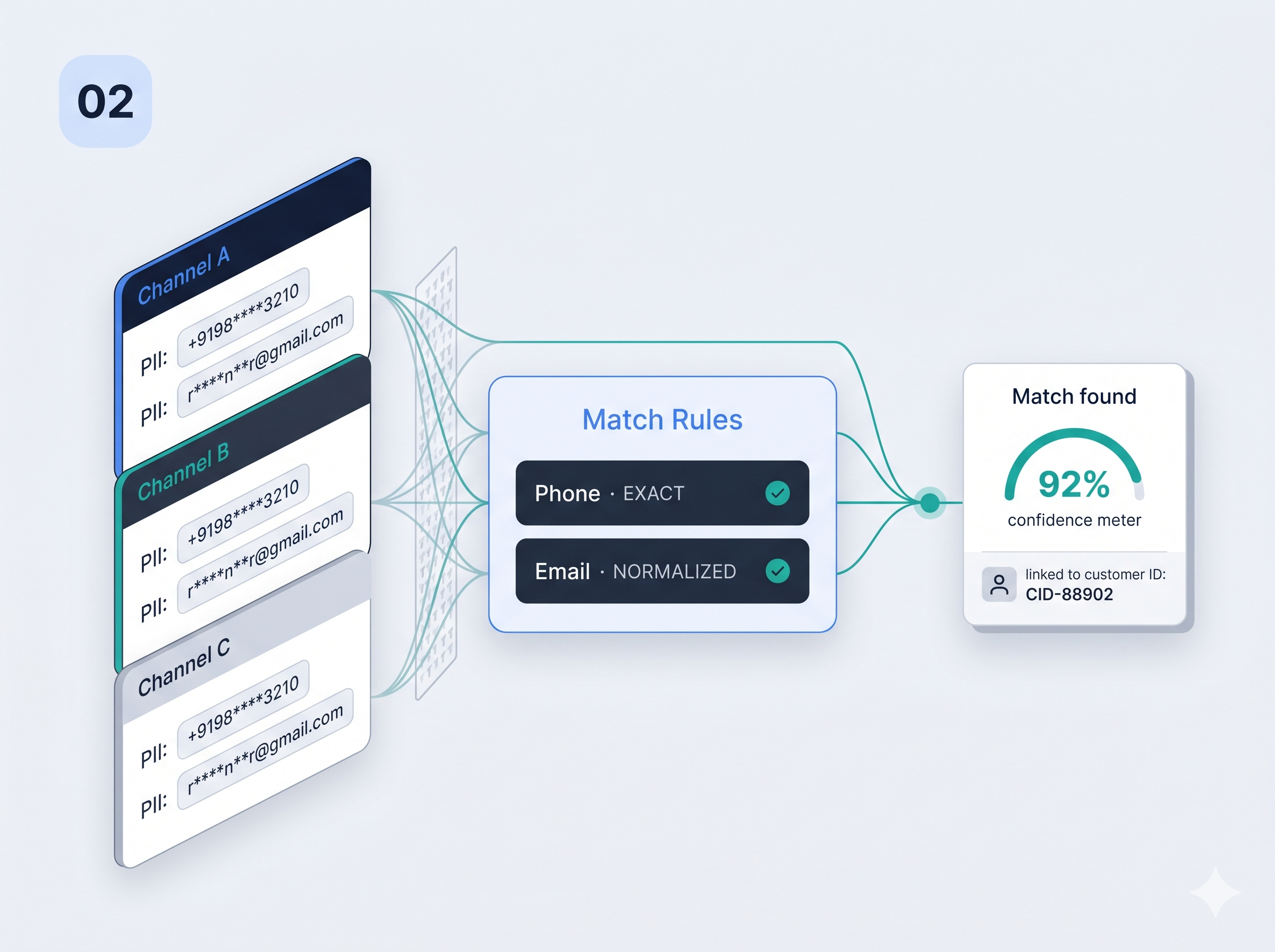
Match rules builder
Build visual AND/OR rule groups on any schema field. Matchers like EXACT and NORMALIZED link new interactions to existing customers — with clear CREATED vs UPDATED resolution outcomes.
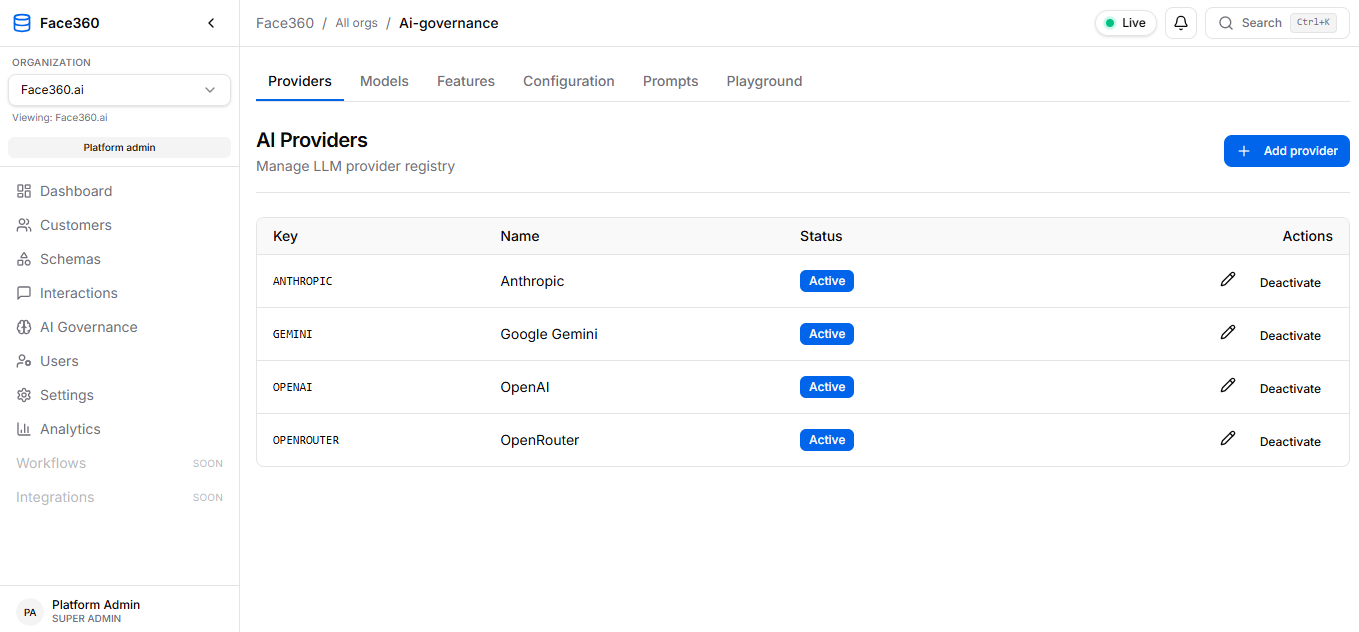
AI Governance
Manage LLM providers, assign models per feature, version prompts, and set tenant AI instructions — so extraction and insights stay consistent and auditable.
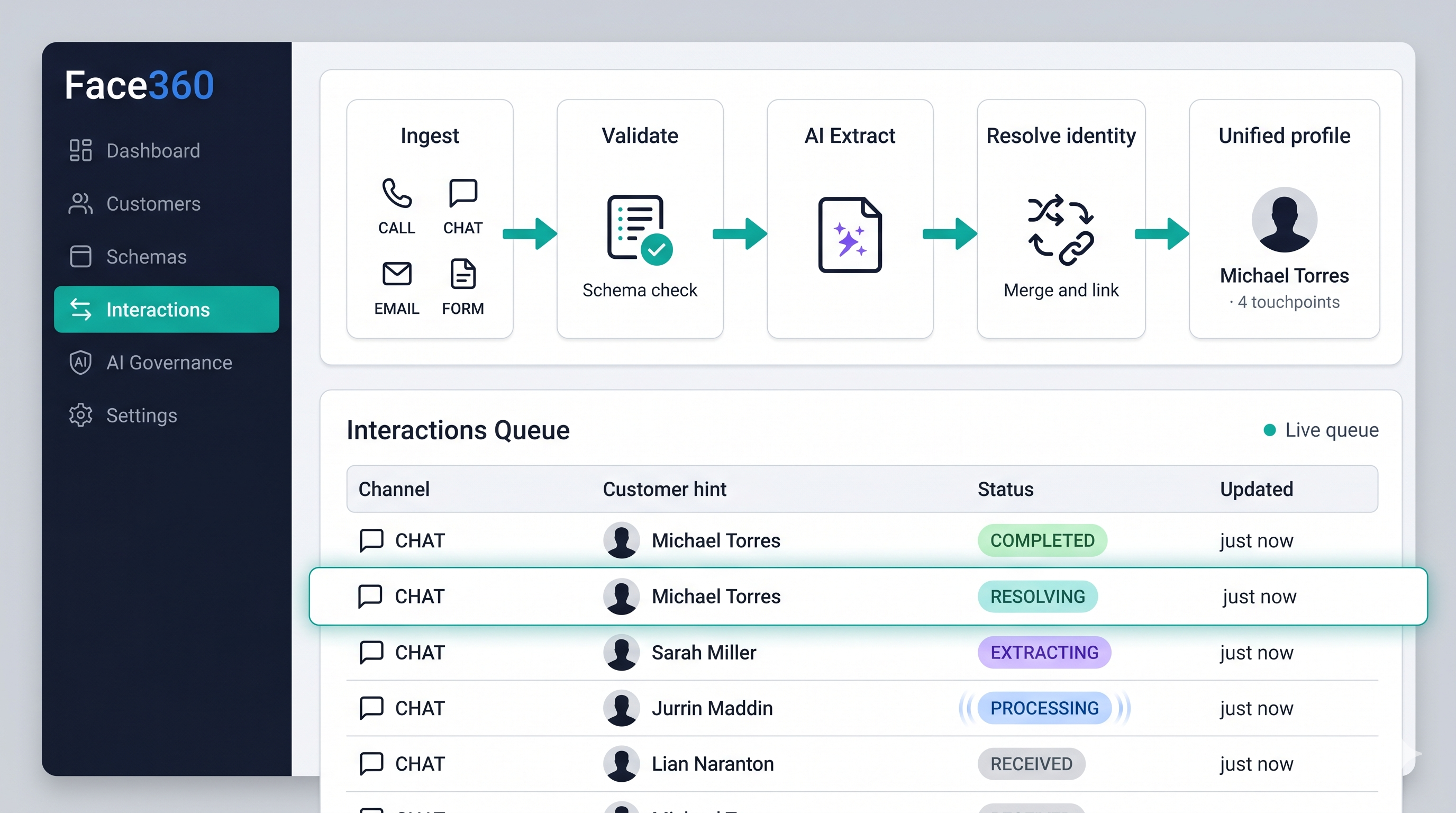
Real-time interaction pipeline
Interactions flow through ingest, schema validation, AI extraction, identity resolution, and profile unification — with live status updates in the queue.
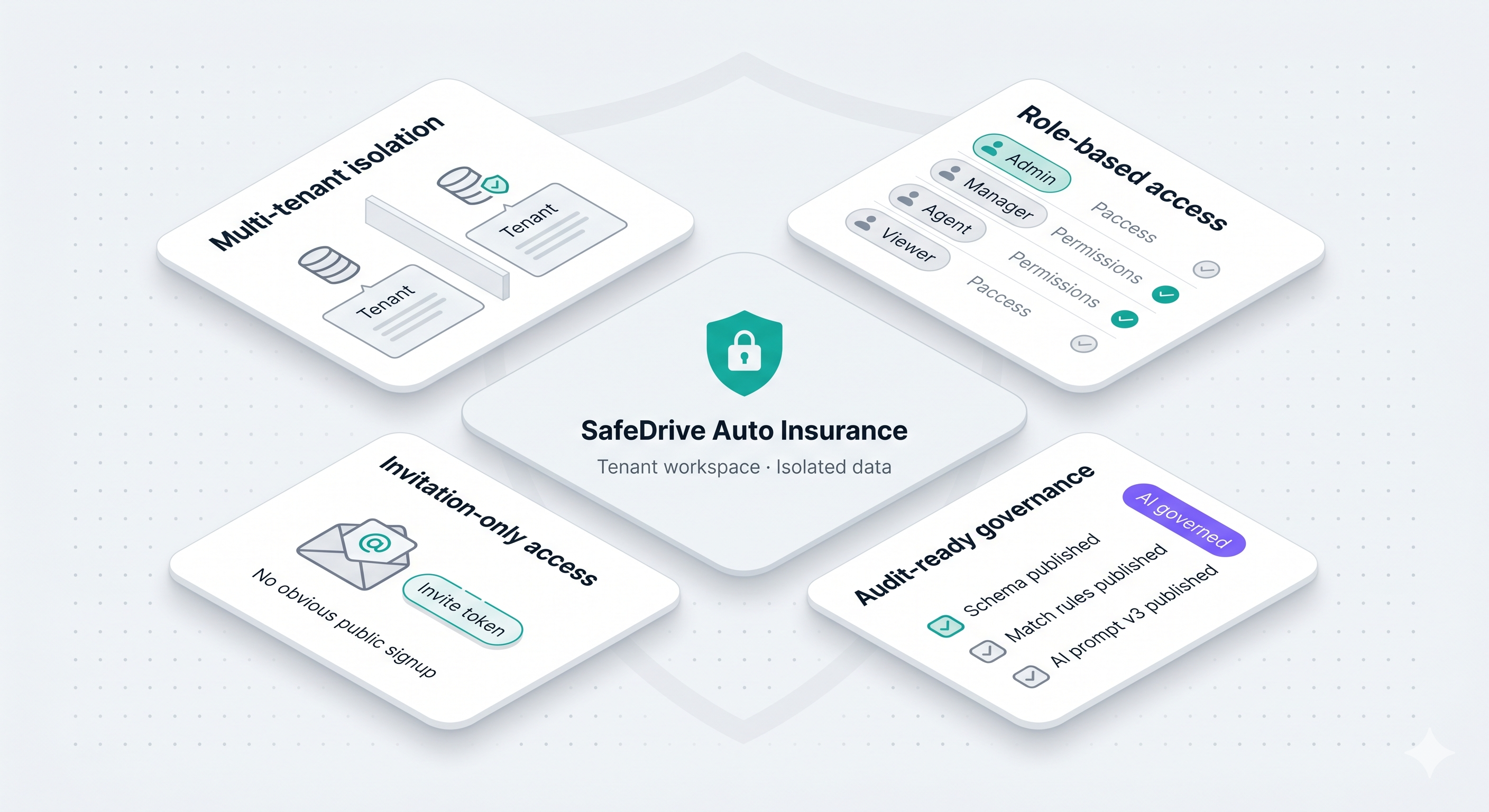
Security & trust
Multi-tenant workspaces, role-based access, invitation-only onboarding, and audit-ready publish states for schemas, match rules, and AI prompts.
The SafeDrive Auto Insurance demo ingests 20 conversations across calls, chat, email, and forms — and resolves them into 10 unified customer profiles you can explore live.
20
Interactions ingested
10
Unified customer profiles
Phone + Email
Active match rules
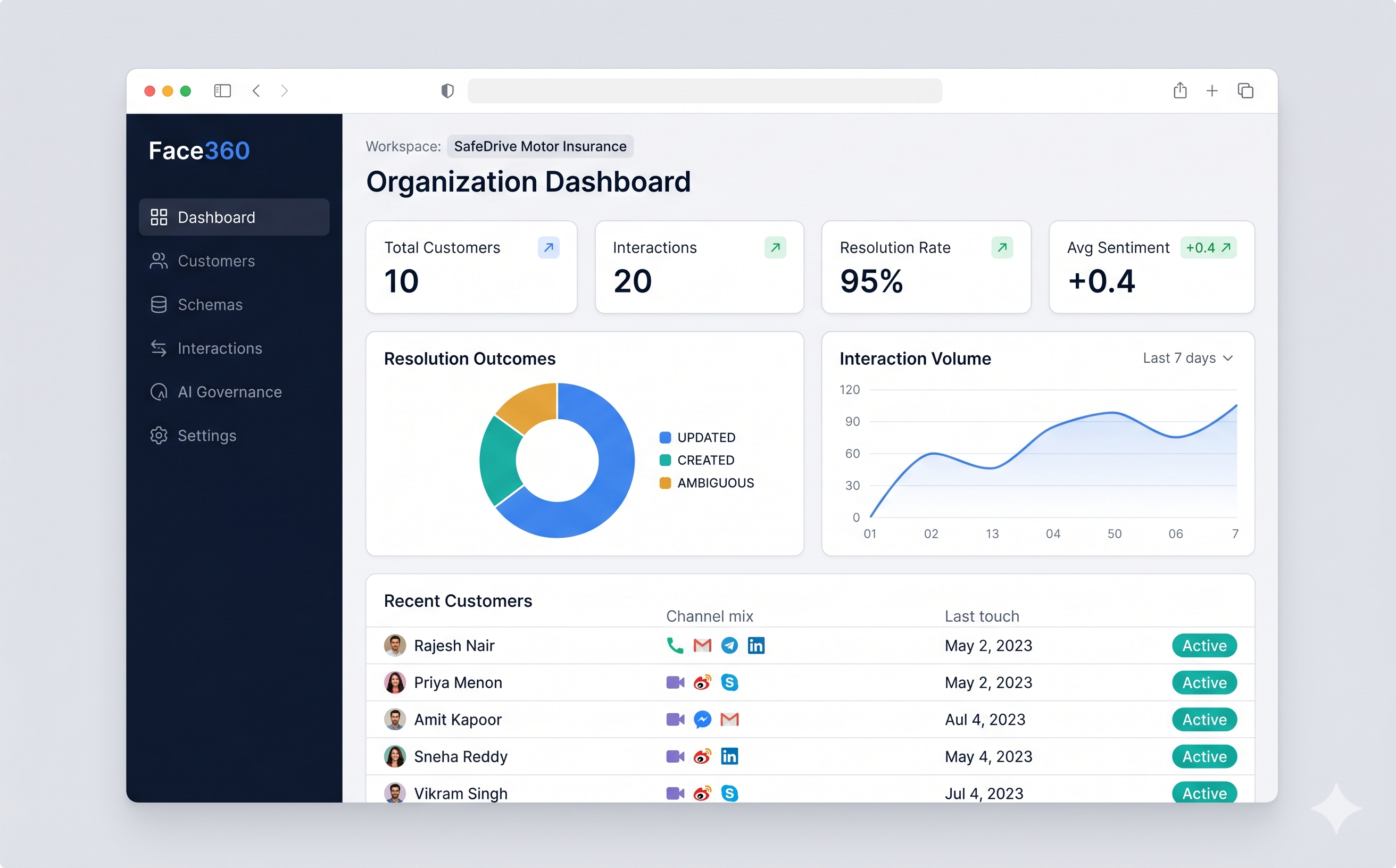
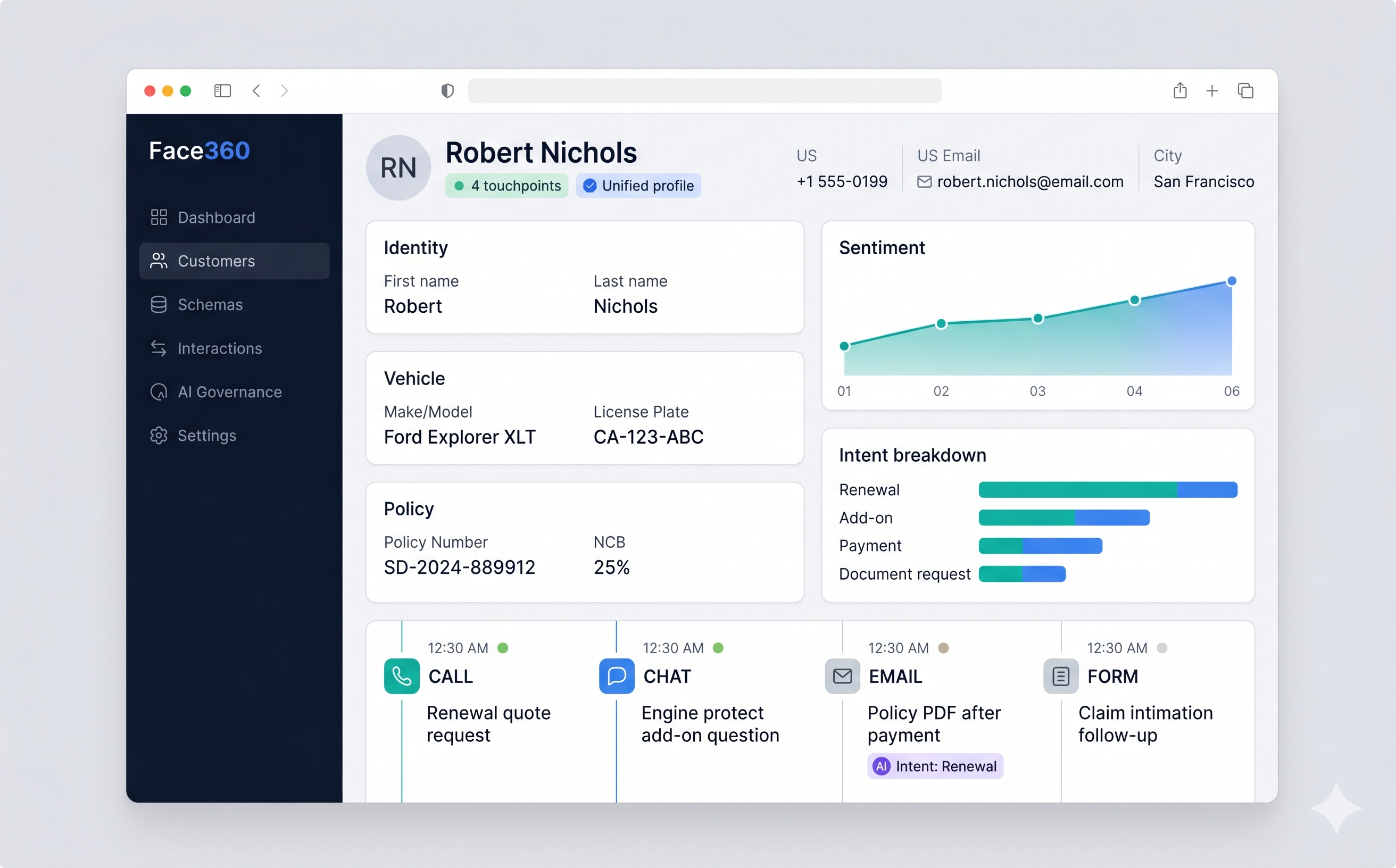
Dashboard and profile views above are real Face360° product screenshots from the SafeDrive demo workspace.
Watch the SafeDrive story: 20 interactions → 10 unified customers → Michael Torres profile.
Follow the interactive demo guide for the full 20 → 10 identity resolution story.
Download presenter script (PDF-ready markdown)Follow this path in the SafeDrive demo workspace — the full story in under 10 minutes.
Step 1
Use the demo credentials below. You land in the SafeDrive Auto Insurance workspace with schema and match rules already published.
Workspace: safedrive-demo
Step 2
Click “Load demo interactions” on the Demo guide — 20 multi-channel payloads queue automatically. No PowerShell or JWT copy-paste.
/demo → Load demo interactions
Step 3
Open Interactions and see statuses advance from RECEIVED through COMPLETED as AI extracts fields and resolves identity.
/interactions
Step 4
Open Customers — expect 10 rows with real names and contact details, not 20 numeric IDs.
/customers
Step 5
Four timeline events on one profile — unified badges, sentiment chart, and intent breakdown on a single record.
Customer profile → Michael Torres
Step 6
Dashboard Identity Resolution chart shows UPDATED for repeat customers and CREATED for first-time leads.
/dashboard
API & integrations
POST raw conversations to Face360° — schema validation and AI extraction happen automatically.
POST /api/v1/ingestions
{
  "source": "CALL",
  "externalId": "safedrive_michael_001",
  "content": "Customer: Michael Torres, +15125551234…",
  "metadata": { "channel": "inbound_call" }
}Spreadsheets + manual dedup
Breaks at scale; no live pipeline or audit trail
CRM alone
Fixed fields; identity rules bolted on per integration
CDP
Heavy implementation; schema often vendor-defined
Face360°
Tenant schema + match rules + AI pipeline — identity first, then intelligence
Face360° resolves customer identity across channels and unifies touchpoints into one profile — so teams and AI work from the same customer truth.
Email: demo@safedrive.local · Password: Admin@123 · Workspace: SafeDrive Auto Insurance. After sign-in you land on the Demo guide.
Open /demo and click “Load demo interactions,” or use the channel simulator at /simulate?story=1 to send payloads one at a time. No PowerShell required for sales demos.
Allow roughly 30–60 seconds per interaction while the intelligence worker processes the queue. The Demo guide shows live readiness status.
Yes. Each tenant has its own customer schema and match rule set. Edit in Schemas, publish a new version, and re-ingest to see updated behavior.
No. Face360° is invitation-only. Admins invite users to a workspace — contact sales for a pilot workspace.
The SafeDrive tenant ships with a published auto-insurance schema, phone + email match rules, and AI governance pre-configured. Sign in, load demo interactions, and watch identity resolution unify your customers in minutes.
demo@safedrive.local / Admin@123
Sign in → open Demo guide at /demo for the presenter checklist